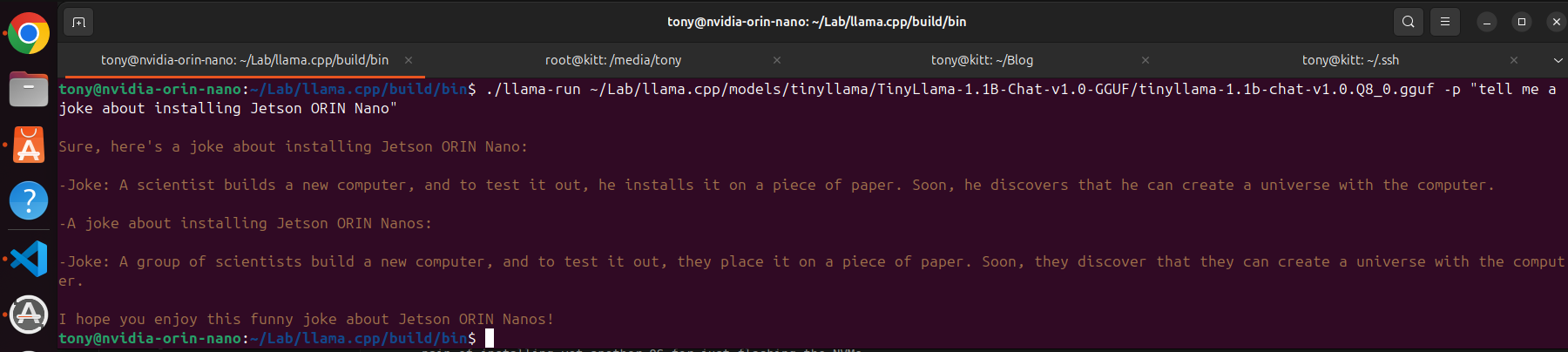
Getting My Jetson Orin Nano Up and Running
When I first got my hands on the Jetson Orin Nano, I was excited to dive into Edge AI development. But the installation turned out to be more of a journey than I expected. Not to blame only the process, but my current setup: A Intel Core i5-3570K quad-core desktop processor from Intel’s Ivy Bridge generation, released in 2012.
Despite being a decent machine (was given to me by my neighbour, as he moved overseas) features a base clock speed of 3.4 GHz and a maximum turbo frequency of up to 3.8 GHz, brought what I thought was some limitations, that ended up being something else… Not always blame the oldies!
Sharing here what was my process of getting jetson orin nano set, so hopefully you won’t fall on the same traps!
Components Used⌗
- Jetson Orin Nano Developer Kit
- Samsung 970 Evo Plus NVMe SSD (500GB)
- Official NVIDIA 5V/4A Power Supply
- HDMI Monitor, USB Keyboard & Mouse
- Debian and then… Ubuntu 20.04 Laptop for flashing
- USB-C Data Cable (important!)
- (Initially tried): microSD card
Attempt 1: Boot from SD Card — Fail⌗
For booting you must set the board in recovery mode, you must place a jumper between the FC REC and GND pins. depending on your board revision, the relevant pins are typically labeled as FC REC (Force Recovery) and GND (Ground), in the case of my board are 5 and 7
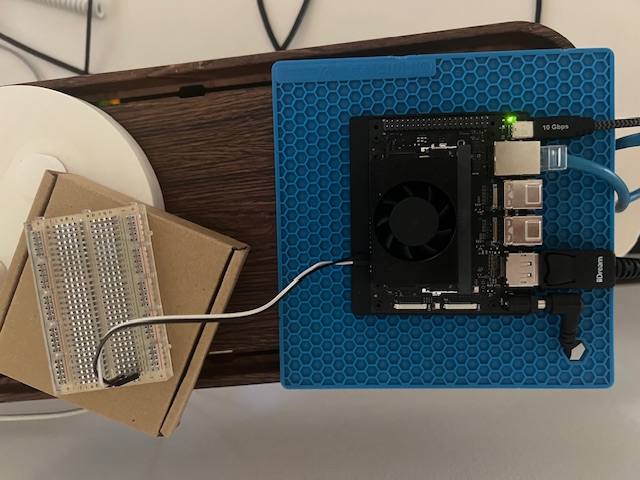
My first try was to boot from a microSD card, as I did not want to connect the board to my oldie PC. I flashed the JetPack image using balenaEtcher, inserted it, powered on… and nothing.
- No HDMI output
- No boot sequence
- No visible error
Turns out SD boot on the Orin Nano isn’t always enabled by default, so I did enabledt the UEFI settings to change boot order.
Flashed the ISO on the SD card using dd on my desktop machine, but it never worked as shown on the video below.
I ditched the SD method and moved on to NVMe.
Attempt 2: Flashing from Debian — Fail⌗
The only reason I wanted to avoid this method, was because I dislike to install software that I do not strictly need. I do run old hardware by personal choice, always try to optimise my resources and not just buy out every few months yet another fancy box. Most of the time, old hardware just do the trick.
I use Debian on my main Desktop and assumed SDK Manager would “just work”, surprise… it didn’t.
- GUI crashed on launch (but hey! at least was clear on the reason: Linux Version Unssupported)
- Missing package dependencies
- USB devices not detected properly (I will expand on this later)
Lesson learned: SDK Manager is officially supported only on Ubuntu (18.04, 20.04, 22.04) - Yes, they are not just … saying. I installed Ubuntu 20.04 on a VM using VirtualBox Moving forward
Attempt 3: Glitchy USB on VirtualBox⌗
With Ubuntu running on my VM set up and SDK Manager running, Jetson was detected, which made me happy, however, there was another surprise awaiting.
After the SDK download all the necessary packages (CUDA et al) and doing some expansions on drive space, I was ready to flash to my Jetson Orin Nano.
However, when flashing started after a few minutes, the whole process crashed, reporting problem with USB! Okay, my mistake, it was wrong type of USB - 2.0 - fixing that was quick and add another reboot.
However, it did not fix the issue as the USB emulation seemed not to be good enough - I did run some throughtput tests and I indeed could see glitches and drops on the bandwitdh.
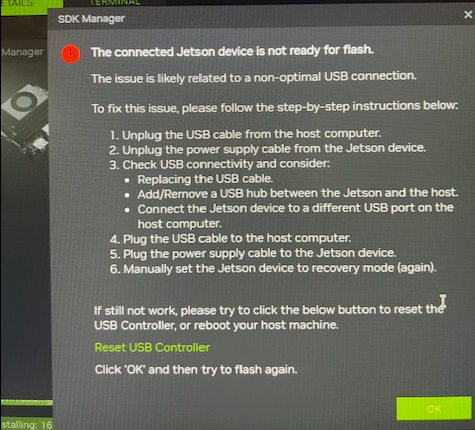
I did not have a proper solution for this. The frustrating part was that lsusb showed NVIDIA Corp. APX, (the detection of the device), but probably the SDK have some healthchecks in place that detect anomalies on the flashing. IMO, transfer drops are more than a valid scenario and I still do not understand why NVIDIA can’t manage this gracefully. Anyhow, got a to a halt with my VM strategy.
Flashing + Booting from NVMe⌗
With sadness, I proceeded to install a physical ubuntu on my desktop. Not I have anything against ubuntu, but debian just works for me and I feel the pain of installing yet another OS for just flashing the NVMe. I did forgot however, that ubuntu respects the previous operating system, so that made my journey easier, I would have another GRUB entry and less drive space, but is better than overwrting with Debian.
All went smooth after that.
After flashing, I connected the display and powered on. Success! The JetPack GUI loaded and I set up the basics.
I did boot my Jetson ORIN nano this time directly from the NVMe and everything went smooth after that!